

Download BackBlaze – Unlimited Cloud Backup, Secure File Protection, Low‑Cost Online Storage
Overview: Why BackBlaze Stands Out in the Cloud Backup Market
When it comes to protecting personal and professional data, most users face a dilemma: choose a high‑priced enterprise solution or settle for a limited free tier that leaves critical files exposed. BackBlaze bridges that gap by offering an unlimited file backup service at a price point as low as $5 per month. Unlike many competitors, BackBlaze automatically mirrors every file on your computer without requiring you to pick and choose folders, ensuring that nothing important slips through the cracks.
The platform’s security model is built around a private encryption key that only the account holder possesses. This means that even BackBlaze’s own engineers cannot access your data, delivering a level of confidentiality typically reserved for high‑end encryption tools. In addition to encryption, BackBlaze adds a unique anti‑theft feature: by leveraging the device’s Wi‑Fi signals, the service can pinpoint a lost or stolen laptop’s location, and it automatically uploads a snapshot of recently modified files. This snapshot can serve as forensic evidence, helping owners identify the thief and recover their assets.
Beyond security, BackBlaze shines with its simplicity. The web interface is clean, the desktop client runs in the background with minimal impact on system performance, and restoration can be performed with a few clicks or through a secure download link sent to your email. Whether you’re a freelance photographer with terabytes of RAW images, a small business safeguarding client contracts, or a home user protecting family photos, BackBlaze offers a complete, affordable, and trustworthy solution.
Key Features That Make BackBlaze the Go‑To Backup Tool
- Unlimited backup for a single computer – no file‑size caps.
- Automatic, continuous backup with real‑time monitoring.
- End‑to‑end encryption using a private key stored only on the user’s device.
- Wi‑Fi based device location tracking for lost or stolen laptops.
- Version history up to 30 days, allowing you to retrieve earlier file versions.
- Easy file restoration via web portal, mobile app, or downloadable ZIP archive.
- Cross‑platform support for Windows, macOS, and Linux (via command‑line client).
- Transparent pricing – a flat $5/month per computer, no hidden fees.
- Secure sharing links that can be password‑protected and set to expire.
- 24/7 email support and an extensive knowledge base.
Pros
- True unlimited storage eliminates the need to manage quotas.
- Strong encryption model ensures only you can read your data.
- Low, predictable monthly cost makes budgeting simple.
- Automatic device tracking adds an extra layer of theft protection.
- Simple, uncluttered user interface suitable for beginners.
Cons
- No selective folder backup – every file on the drive is backed up.
- Version history limited to 30 days; longer retention requires a higher tier.
- No native mobile backup client for Android/iOS (mobile access is web‑only).
- Linux support requires manual configuration of the CLI client.
- Bandwidth throttling is manual; no adaptive speed control based on network load.
Installation, Usage & Compatibility: Getting BackBlaze Up and Running
Installing BackBlaze is intentionally straightforward. After you download the installer for your operating system, double‑click the file and follow the on‑screen prompts. The wizard asks for your email address, creates a secure account, and then generates the private encryption key locally. It’s critical to store a copy of this key in a safe location—preferably offline—because without it, even BackBlaze cannot decrypt your backups.
Once the client is installed, it automatically scans all mounted drives and begins uploading files in the background. You can pause or resume the process at any time via the system tray (Windows) or menu bar (macOS). The client also includes a settings panel where you can configure upload speed limits, choose whether to back up external drives, and set the frequency of version retention. For power users on Linux, the CLI client can be installed via a simple curl command and configured with a .backblazerc file.
Operating System Compatibility (itemprop="operatingSystem"): BackBlaze officially supports Windows 10 and later, macOS 10.14 Mojave and later, and offers a command‑line client for most Linux distributions (Ubuntu, Debian, Fedora, etc.). The software runs efficiently on both desktops and laptops, consuming minimal CPU and memory while performing continuous incremental backups.
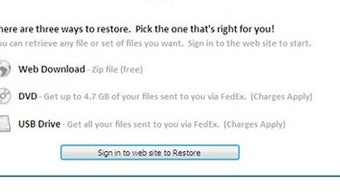
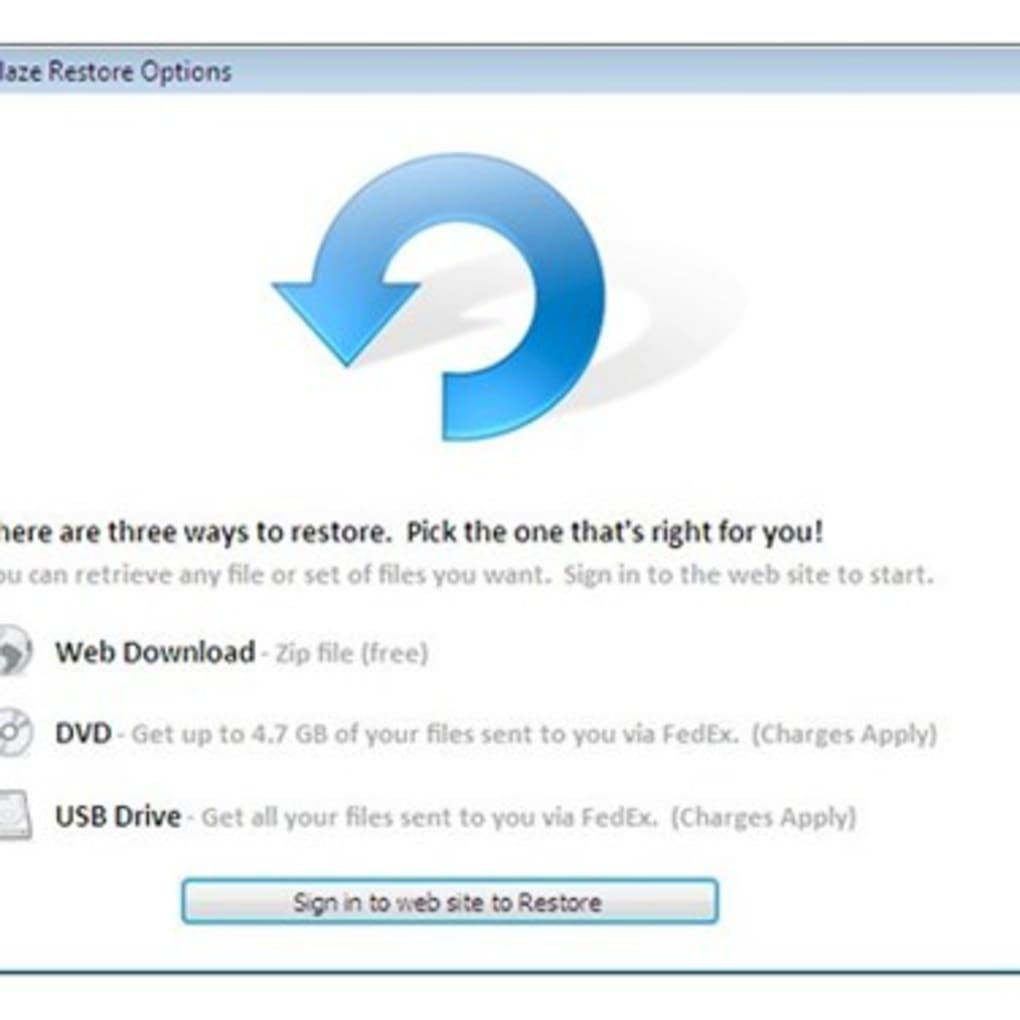
Using the service is as simple as launching the desktop client and letting it work silently. To retrieve a file, open the BackBlaze web portal, locate the desired file via the searchable interface, and click “Download.” For bulk restores, you can request a USB flash drive (for an additional fee) that BackBlaze ships with your data pre‑loaded—a handy option when dealing with large datasets or a failed hard drive.
Overall, the installation experience balances security (through local key generation) with ease of use, making BackBlaze suitable for both tech‑savvy users and those who prefer a set‑and‑forget solution.
FAQ & Conclusion: Is BackBlaze the Right Choice for You?
How does BackBlaze encrypt my files?
BackBlaze uses AES‑256 encryption for data in transit and at rest. The encryption key is generated on your device and never leaves it, meaning only you possess the decryption key.
Can I back up multiple computers under one account?
Yes. Each computer requires its own $5/month subscription, but you can manage all devices from a single BackBlaze dashboard.
What happens if I forget my private key?
Without the private key, your data remains encrypted and inaccessible—even to BackBlaze support. It’s essential to back up the key in a secure offline location.
Is there a free trial available?
BackBlaze offers a 15‑day free trial that includes full access to unlimited backup and all premium features.
Can I restore files to a different computer?
Absolutely. You can log into the web portal from any device, select the files you need, and download them or request a physical drive.
In summary, BackBlaze delivers a compelling blend of unlimited storage, robust encryption, and affordable pricing that makes it a standout alternative to higher‑cost solutions like CrashPlan. Its automatic backup engine eliminates the guesswork of manual file selection, while the private‑key architecture guarantees that only you can view your data. The added theft‑tracking feature is a thoughtful touch for mobile professionals who travel frequently.
If you value simplicity, security, and predictable costs, BackBlaze is well worth a try. Start with the 15‑day free trial, set up your encryption key, and let the software protect your digital life without demanding constant attention. For individuals and small teams looking for a reliable, low‑maintenance backup strategy, BackBlaze hits the sweet spot between feature depth and price.
Ready to secure your files? Download BackBlaze now and enjoy peace of mind knowing your data is safe, searchable, and always within reach.
BackBlaze offers an unbeatable combination of unlimited backup, strong encryption, and a price that fits even the most budget‑conscious users. The only drawbacks are the lack of native mobile backup and a 30‑day version history limit, but these are minor trade‑offs for the overall value.







